Exporting
Export a page
- Open the page.
- Choose ••• › Apps › Markup: Export…
- Pick a format.
- To include the pages under this page, tick Include child pages. The dialog shows how many direct children the page has.
- Choose Export.
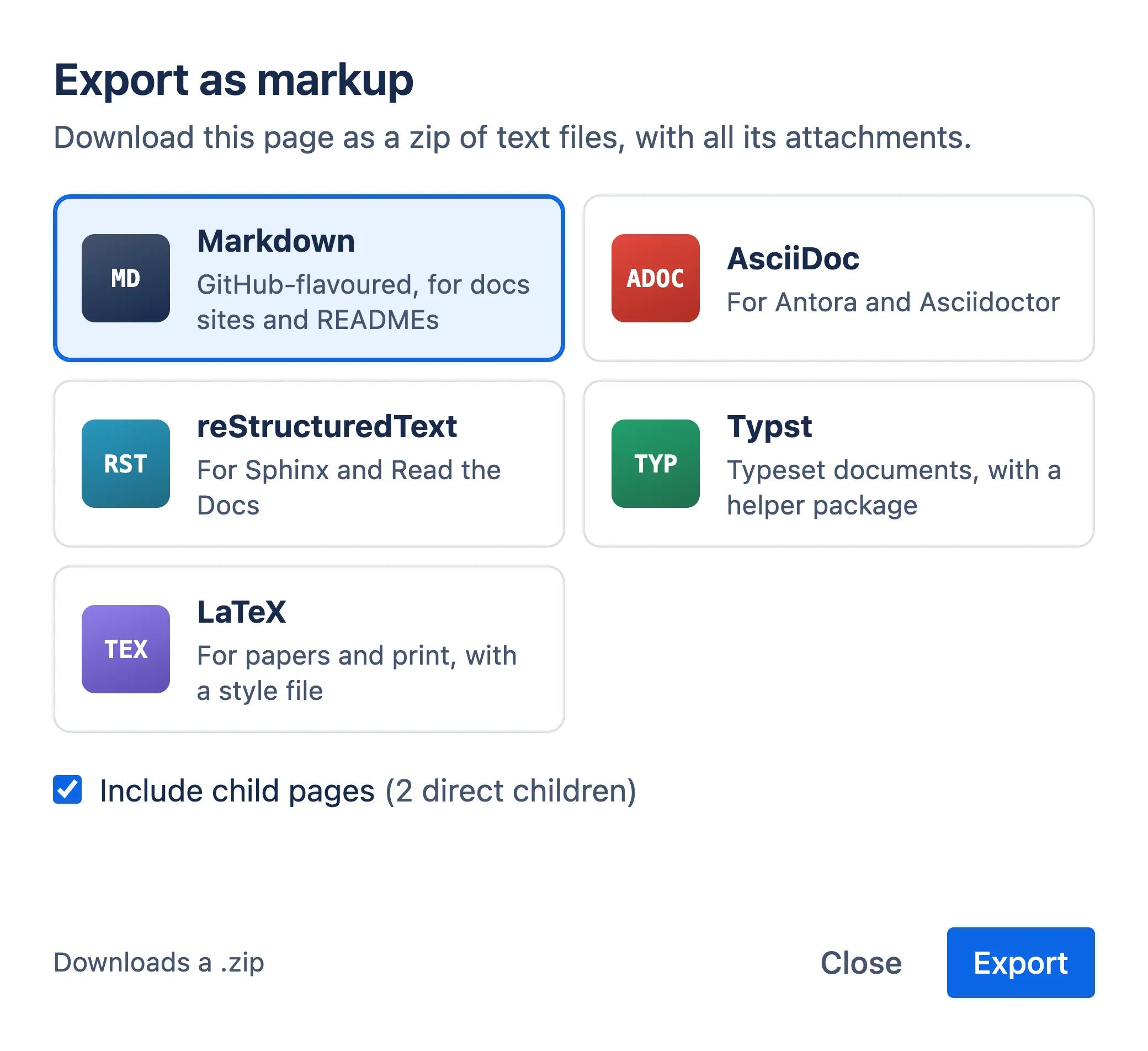
The dialog shows its progress, then downloads a zip named after the page. When it’s done, it shows how many pages and attachments the zip holds, and lists anything that didn’t export cleanly.
Formats
| Format | Extension | Typically used with |
|---|---|---|
| Markdown | .md |
GitHub, GitLab, MkDocs, Docusaurus, Hugo |
| AsciiDoc | .adoc |
Asciidoctor, Antora |
| reStructuredText | .rst |
Sphinx, Read the Docs |
| Typst | .typ |
Typst |
| LaTeX | .tex |
XeLaTeX, Tectonic |
Markdown is GitHub-flavoured. See Formats for what each one looks like.
What’s in the zip
For a page called Guide with a child page called Setup, a Markdown export holds:
Guide.md
Guide/
  Setup.md
  Setup/
    _attachments/
      screenshot.png
  _attachments/
    diagram.png
README.txt
confluence-export.json
confluence.css- One file per page. A page’s child pages are in a folder with the page’s name. Confluence folders become folders.
- Attachments. Each page’s images and attached files are in the
_attachmentsfolder next to its children. - Links. Links between pages in the export become relative links, such as
Guide/Setup.md, so they work in Git, in an editor and on a docs site. Links to pages that aren’t in the export keep their Confluence address. README.txtdescribes the layout and how to render the files.confluence-export.jsonrecords what was exported. Importing uses it to put pages back in the right place.- A helper file for the format:
confluence.cssfor Markdown, AsciiDoc and reStructuredText,confluence.typfor Typst, andconfluence.styfor LaTeX. It defines how panels, status labels and other Confluence features look. Keep it next to the exported files.
Each file starts with the page’s title, page id, version and space key. That’s what lets an import update the page the file came from.
Images
- Images attached to a page are exported in their original format.
- For LaTeX and Typst, which can’t show GIF, WebP or SVG images, the export adds a PNG copy of each one, and the page uses the PNG.
- In LaTeX exports, emoji are drawn as small images, so the PDF doesn’t need a colour emoji font.
- Images a page shows from other websites, including the illustrations in Confluence’s own templates, stay links to that website.
Limits
- An export holds up to 500 pages and folders. A larger tree exports its first 500, and the dialog says so. Export its sections separately instead.
- An export holds up to 500 MB of attachments. Attachments past that are left out, and the dialog lists how many.
- Whiteboards, databases and Smart Link embeds in a page tree can’t be exported. They’re left out, and the dialog lists how many.